
Download SnapSave – Free YouTube Video Downloader, 4K & Multi‑Format
Overview
SnapSave is a free application designed to make YouTube video downloads as effortless as a click. Whether you are watching on a desktop, tablet, or smartphone, SnapSave provides an intuitive control panel that guides you through the entire process in seconds. The tool does not demand any technical background; simply copy a YouTube link, paste it into the app, and hit “Download”.
What sets SnapSave apart from many competing downloaders is its flexibility: it supports a wide range of audio‑ and video‑codecs—including M4A, FLV, MP3, MP4, and WMA—so you can save content in the exact format you need for later playback on any device. Moreover, SnapSave is capable of handling high‑definition streams up to 4K resolution, giving you crystal‑clear quality for movies, tutorials, or music videos. The application is available as a native app for Windows, macOS, Android, and iOS, and it also offers a browser‑based version that requires no installation at all.
This combination of speed, format variety, and cross‑platform compatibility makes SnapSave a practical solution for personal entertainment, offline learning, or creating a personal media library without the hassle of complex settings or hidden fees.
Key Features
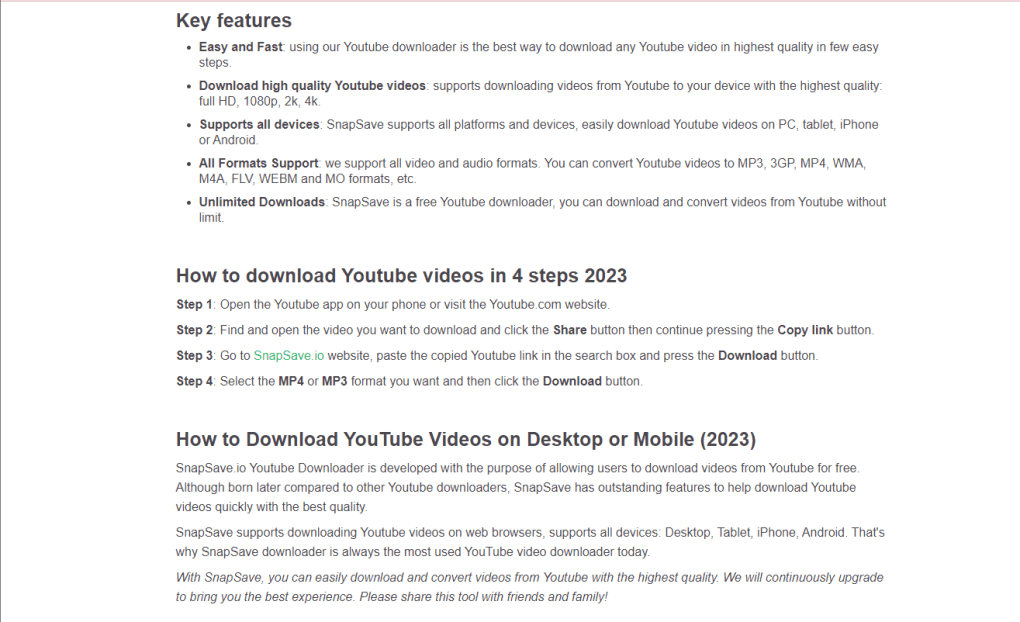
- One‑Click Download: Paste a YouTube URL and start downloading instantly.
- Multi‑Format Support: Export videos as MP4, FLV, or audio‑only files such as MP3, M4A, and WMA.
- High‑Definition & 4K: Preserve original resolution up to 4K for premium visual quality.
- Cross‑Platform Availability: Native apps for Windows, macOS, Android, iOS, plus a web‑based version.
- Batch Processing: Queue multiple videos and let SnapSave handle them sequentially.
- Customizable Quality Settings: Choose bitrate, frame rate, and codec directly from the settings menu.
- Secure & Ad‑Free: No hidden ads, spyware, or unnecessary permissions.
- Lightweight Footprint: Small installer size and low RAM consumption during download.
- Automatic Updates: The app checks for the latest YouTube API changes and updates itself silently.
- Built‑In Media Player Integration: Open downloaded files directly in your preferred player such as VLC or Winamp.
Installation & Usage Guide
Installing SnapSave on Different Devices
Windows & macOS: Visit the official SnapSave website, click the “Download for Windows” or “Download for macOS” button, and run the installer. Follow the on‑screen wizard – accept the license agreement, choose an installation folder (the default works for most users), and click “Install”. The installer will create a desktop shortcut and add SnapSave to your start menu or Applications folder.
Android & iOS: Open Google Play Store or Apple App Store, search for “SnapSave”, and tap “Install”. The mobile version automatically configures permissions for storage access; you will be prompted to allow the app to save files to your device.
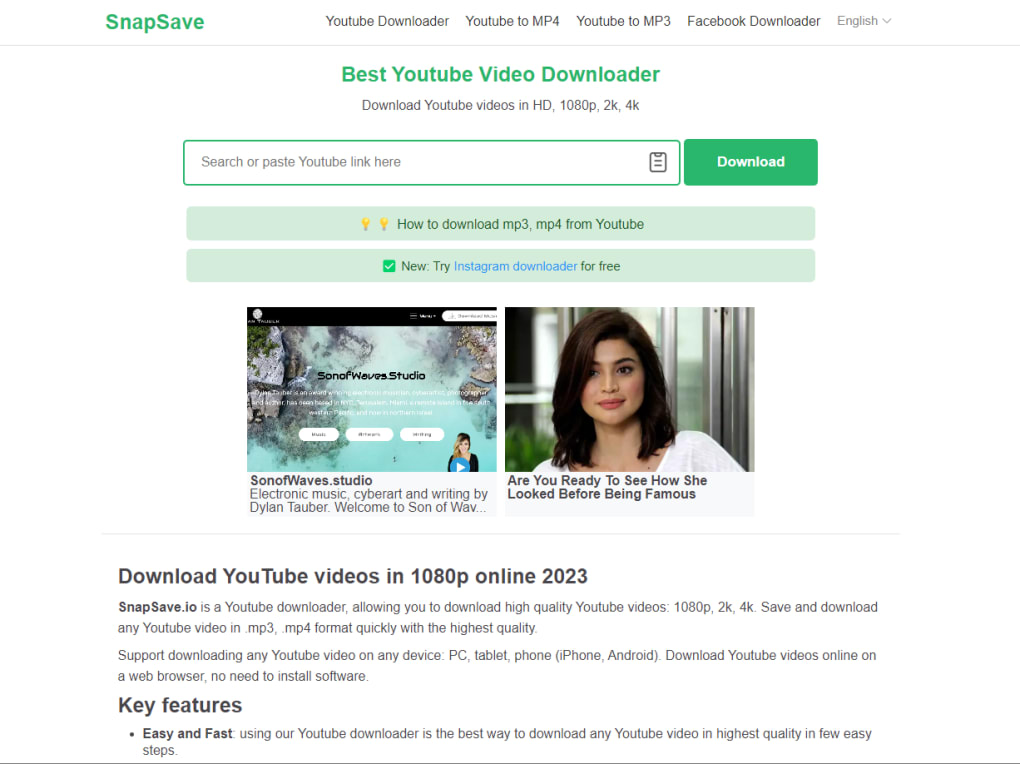
Web Version: No download is required. Navigate to snapsave.io, paste the YouTube link into the input field, select your preferred format, and press “Download”. The file will be generated in the browser and saved to your default download folder.
How to Download a YouTube Video
- Open the YouTube video you wish to save.
- Click the “Share” button beneath the video player and select “Copy link”.
- Launch SnapSave (desktop, mobile, or web).
- Paste the copied URL into the designated field.
- Choose the output format (e.g., MP4 for video, MP3 for audio only) and desired resolution.
- Press the “Download” button. A progress bar will show the status; once complete, the file appears in your chosen destination folder.
For batch downloads, repeat steps 2‑4 for each video, then click “Add to Queue”. SnapSave will process the list automatically, freeing you to continue browsing or working.
Compatibility, Pros & Cons
Supported Operating Systems
SnapSave runs natively on Windows 10/11, macOS 10.14 and later, Android 8.0 and above, and iOS 13 and later. The web version works with any modern browser (Chrome, Edge, Firefox, Safari) that supports HTML5 and JavaScript. Because the application is lightweight, it also performs well on older hardware, provided the operating system meets the minimum version requirements.
Pros
- Completely free with no hidden fees.
- Supports 4K video download for premium quality.
- Wide range of output formats for both audio and video.
- User‑friendly interface suitable for beginners.
- Cross‑platform availability, including a no‑install web option.
- Fast download speeds thanks to optimized server connections.
- Regular automatic updates keep up with YouTube’s frequent changes.
Cons
- High‑resolution downloads (4K) require ample disk space and a strong internet connection.
- Batch processing is limited to 10 videos per queue in the free version.
- No built‑in video editor; users must use external tools for trimming or merging.
- Occasional delay when converting certain codecs on older devices.
Overall Rating: 4.5/5 – SnapSave delivers a reliable, fast, and versatile solution for anyone looking to download YouTube content without paying for premium services.
Frequently Asked Questions
Is SnapSave really free or are there hidden costs?
SnapSave is completely free for personal use. There are no subscription fees, in‑app purchases, or hidden ads. All core features—including 4K download and multi‑format conversion—are available without charge.
Can I download copyrighted YouTube videos with SnapSave?
SnapSave respects YouTube’s terms of service. It is intended for downloading videos that are either in the public domain, have a Creative Commons license, or belong to you. Downloading copyrighted content without permission may violate legal regulations.
How much storage space is required for 4K video downloads?
A typical 4K video of five minutes can occupy 300–500 MB, depending on bitrate. It’s recommended to have at least 5 GB of free space for multiple high‑resolution files to avoid interruptions.
Does SnapSave work on Linux?
There is no native Linux client at the moment, but the web version runs perfectly on any Linux distribution using a modern browser such as Firefox or Chrome.
Can I convert a downloaded video to audio‑only format?
Yes. After the video is downloaded, you can select an audio‑only output (MP3, M4A, or WMA) from the format dropdown. SnapSave will extract the audio track and save it as a separate file.
Conclusion & Call to Action
SnapSave stands out as a fast, secure, and completely free solution for anyone who needs to keep YouTube videos for offline viewing, study, or entertainment. Its support for 4K resolution, multiple codecs, and cross‑platform availability ensures that you can download exactly what you want, wherever you are. While the free version imposes a modest queue limit, the overall experience is smooth and reliable, making it a top pick for students, creators, and casual viewers alike. Ready to start building your personal media library without paying a dime? Download SnapSave now and enjoy instant, high‑quality YouTube downloads on any device.



.png)



